Tiezhu's Practical Long-form Articles and Tweet Collections
There are three common pitfalls when working with Grok Bot:
- Piling high-consumption tasks into the main chat, burning through the entire weekly quota in two to three days.
- Losing all environment tools once the cloud computer resets.
- Multiple Bots entering a group chat and triggering each other in loops, instantly exhausting usage.
Here is a collection of 9 practical in-depth articles and 4 systematic tweet collections by Tiezhu (@cgnot996), covering four themes: subscription quotas and external collaboration, disaster recovery/backup, and architectural selection. Each article includes a manual summary card and a direct link, making it easy to copy prompts, scripts, and traffic-splitting schemes directly.
Subscription Plans and Budgeting Compute Quotas
Quota Mechanisms and Traffic-Splitting Strategies
Billing is based on an official weekly shared pool. Every turn of interaction completely re-reads the entire history. Pasting long documents or lengthy code directly into the main chat will cause context to balloon, meaning you pay repeatedly for every subsequent change.
Keep only key conclusions and file paths in the main chat, store lengthy materials in the workspace directory, and offload heavy tasks to the background:
- Offload coding to the command-line tool Grok Build.
- Delegate routine monitoring to underlying system cron scripts.
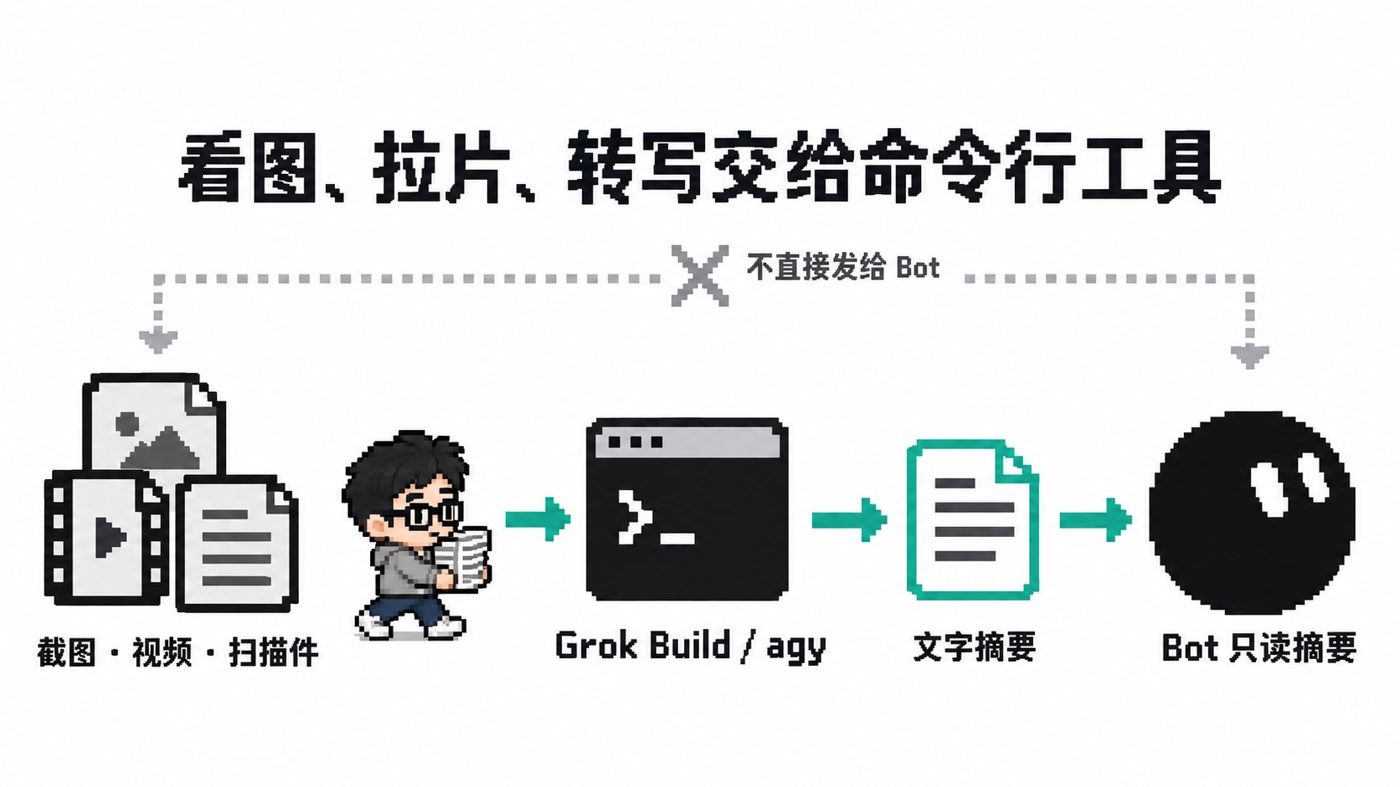
- Parse images, audio, and video via the command line to generate plain text summaries before returning them.
Routine acceptance checks look at two metrics:
- Maintain more than 20% quota remaining before the weekly reset date.
- Turn off pay-as-you-go, preventing background infinite loops and idle polling.
| Tier | Monthly Fee | Recommendation & Quota |
|---|---|---|
| Plus | $8/month | Bot not included; only suitable for lightweight development |
| Premium | $30/month | Entry threshold for Bot; 4x weekly quota |
| Super | $100/month | High-frequency multi-Agent orchestration; 15x weekly quota |
| Ultra | $200/month | Suitable for professional teams; 50x weekly quota |
Send these rules to your primary Bot to take effect:
以后长资料、排查日志和中间结果都存成 /workspace/ 下的文件,回我时只给结论和文件路径,不要把原文贴回聊天。给你自己建一个 notes.md 记录角色、正在做的事和做过的决定,每做完一段就更新。面对批量处理或长流程任务,先使用 1 到 2 个最小样本进行单步验证,完成单步后必须暂停等待我确认。Unified X Subscription Explained: How New Users Should Choose, and Should Existing Subscribers Switch? A Clear Guide
The new plans are divided into four tiers: Plus, Premium, Super, and Ultra.
- Choosing a tier: To use Grok Bot and cloud automation, start with the $30/month Premium tier; regular users can simply subscribe monthly.
- Avoiding pitfalls: Web operations are one-way and irreversible; switching to the new subscription will permanently unbind your legacy plan. Be sure to check the invocation frequency of third-party models before proceeding to prevent cost spikes.
Tiezhu's Tweet Collection ①: Activation, Plans, and Quotas
For beginners trying to avoid burning through quotas in a few days, remember: usage quota comes before everything else.
- Choose the $30 subscription upon activation. Give it a Chinese name directly, and the Bot will reply in Chinese by default.
- Fix the reasoning model to Grok 4.5.
- For multi-Bot collaboration, use peer-to-peer communication only; eliminate permanent group chats to prevent every message from being repeatedly read by multiple parties and blowing through your quota.
Never touch these three major usage black holes:
- Video generation
- High-frequency timers with no substantive output
- Multi-Bot group chats
Hangzhou Offline Event Recap: How I Made Grok Bot Quota Last Longer
Source: Hangzhou Offline Event Recap: How I Made Grok Bot Quota Last Longer
Author: 铁柱AGI @cgnot996
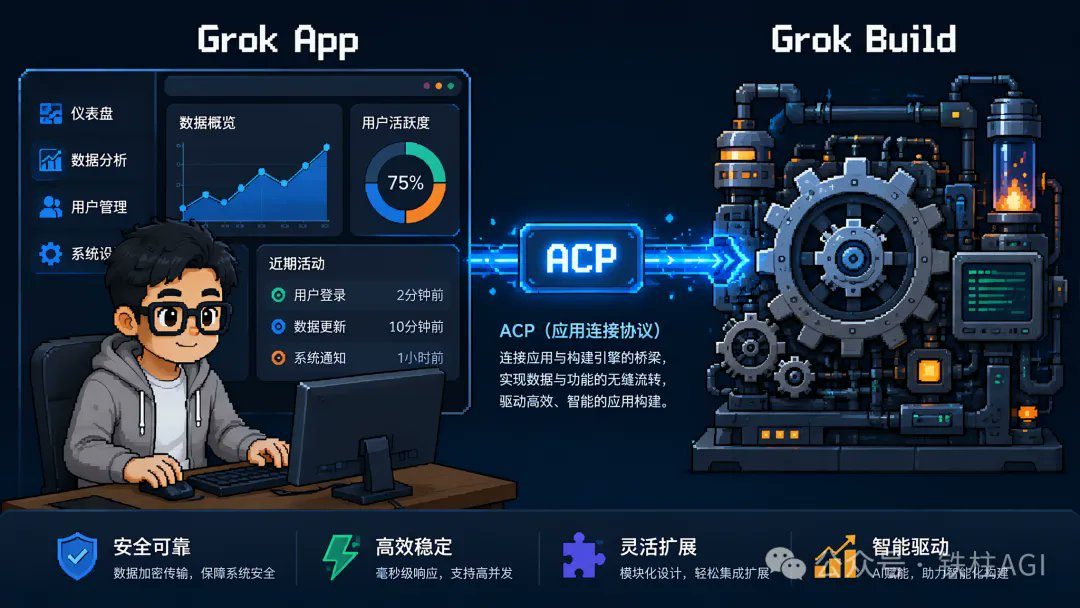
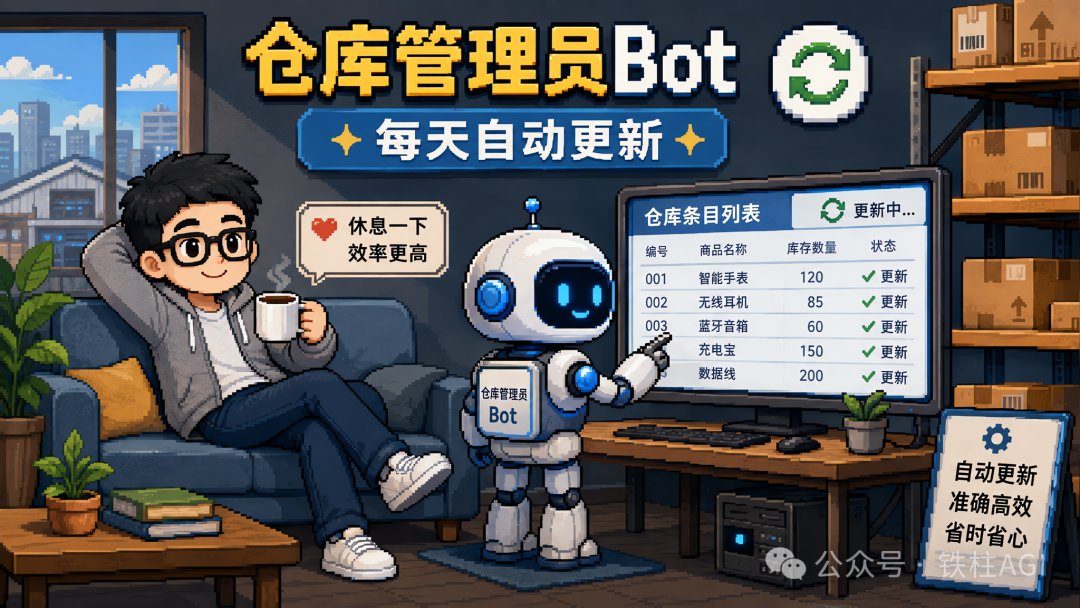
To avoid running out of weekly quota ahead of time, completely separate orchestration from execution. Grok Bot handles requirement breakdown and result verification, while heavy lifting like writing code is delegated to headless mode Grok Build running inside the virtual machine.
If remote login to the virtual machine lags, solve it in two steps:
- First, complete normal login and authorization on your local machine.
- Then import the portable configurations into the virtual machine.
Squeezing More Out of Grok Bot Quotas: Extreme Optimization of Scheduled Tasks
Source: Squeezing More Out of Grok Bot Quotas: Extreme Optimization of Scheduled Tasks
Author: 铁柱AGI @cgnot996
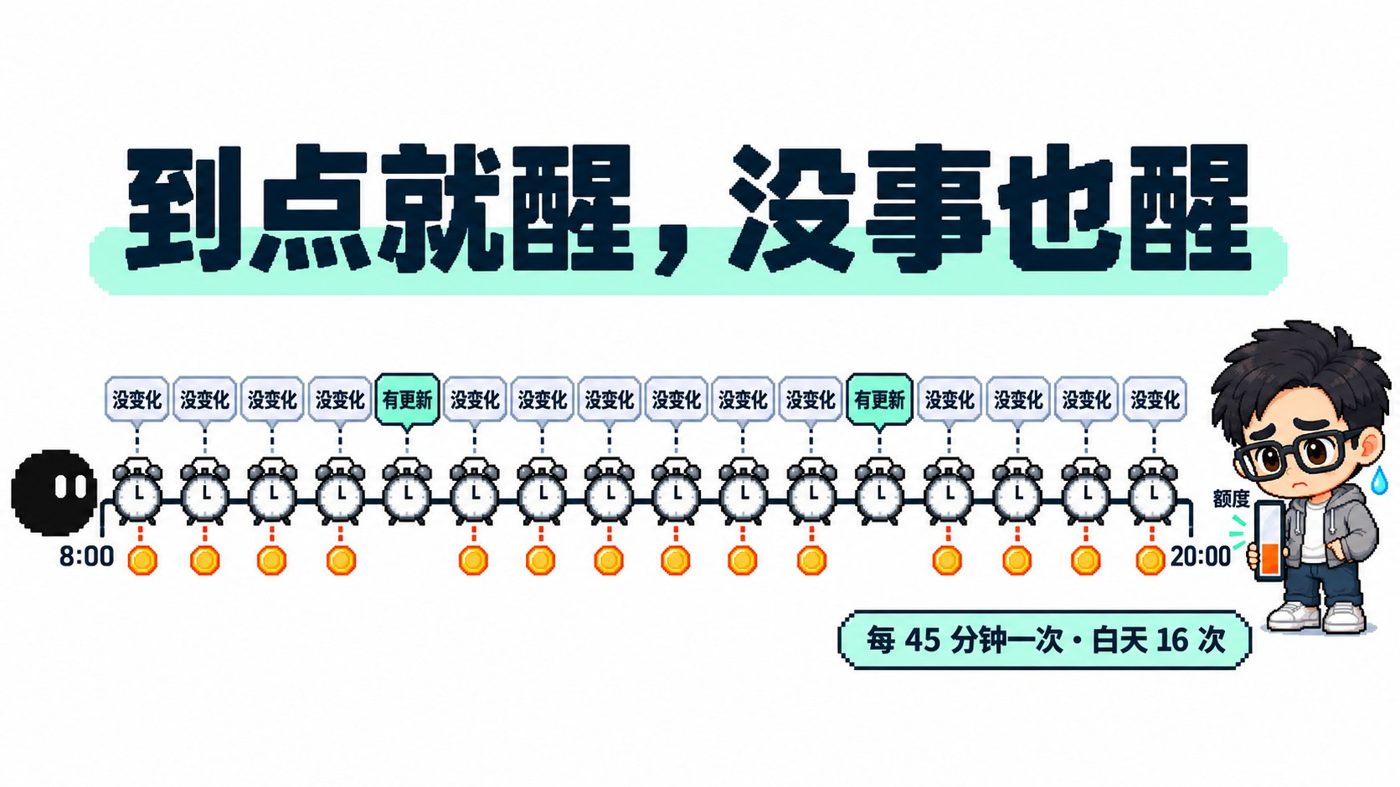
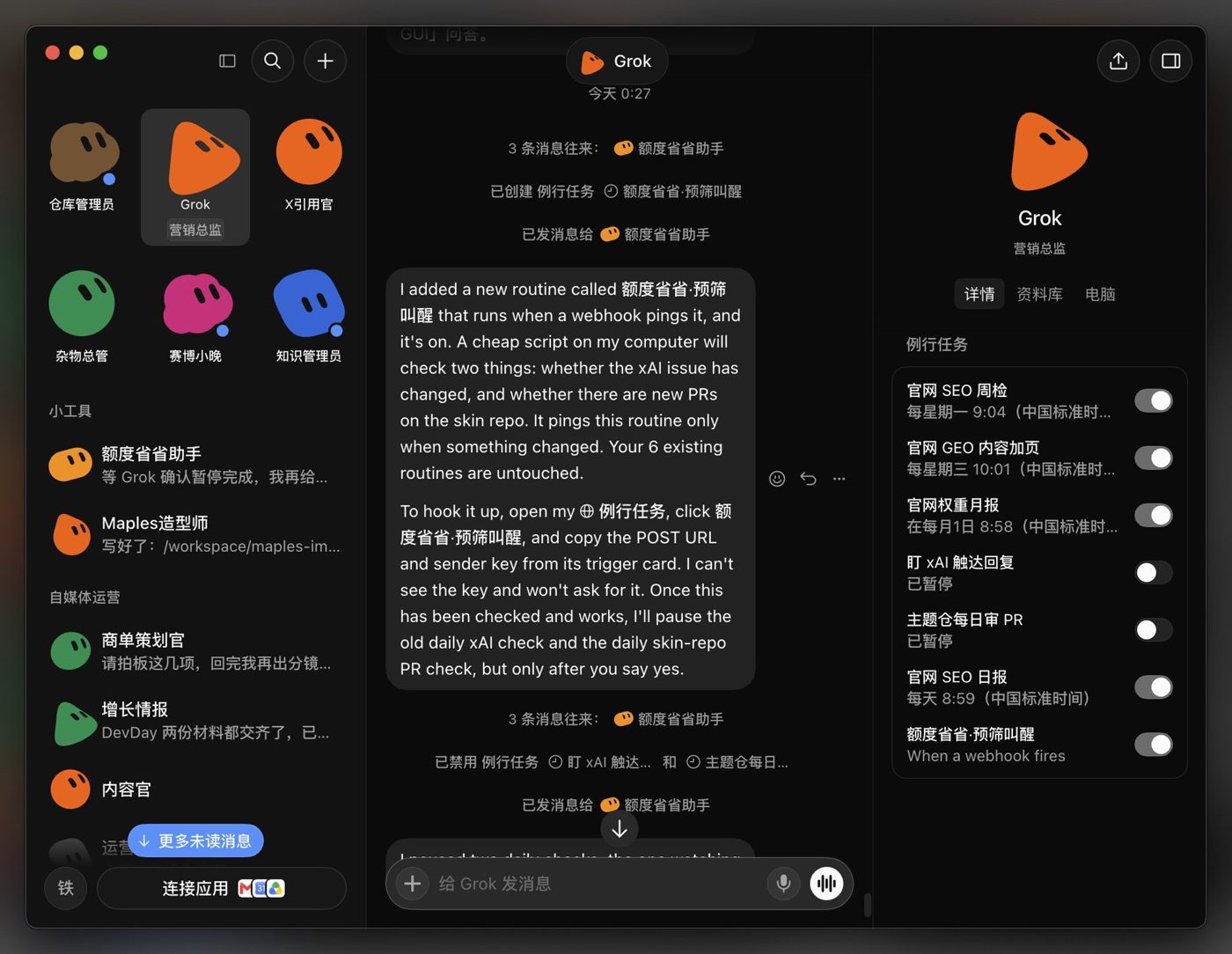
Frequent idle runs of scheduled Routines consume massive amounts of quota. The money-saving solution is to thoroughly decouple checking from decision-making.
- Decouple "passively waiting for changes" tasks from regular Routines, keeping only "must-deliver upon trigger" tasks.
- Write lightweight Shell scripts in the VM to check every half hour using underlying cron; only perform basic diffs and never invoke LLMs.
- Wake up the Bot via Webhook only when substantive changes are detected, reducing routine idle consumption to zero.
Beginner's Step-by-Step Guide to Ultra-Long Grok Bot Quota Endurance (Send Directly to Bot!)
Source: Beginner's Step-by-Step Guide to Ultra-Long Grok Bot Quota Endurance (Send Directly to Bot!)
Author: 铁柱AGI @cgnot996
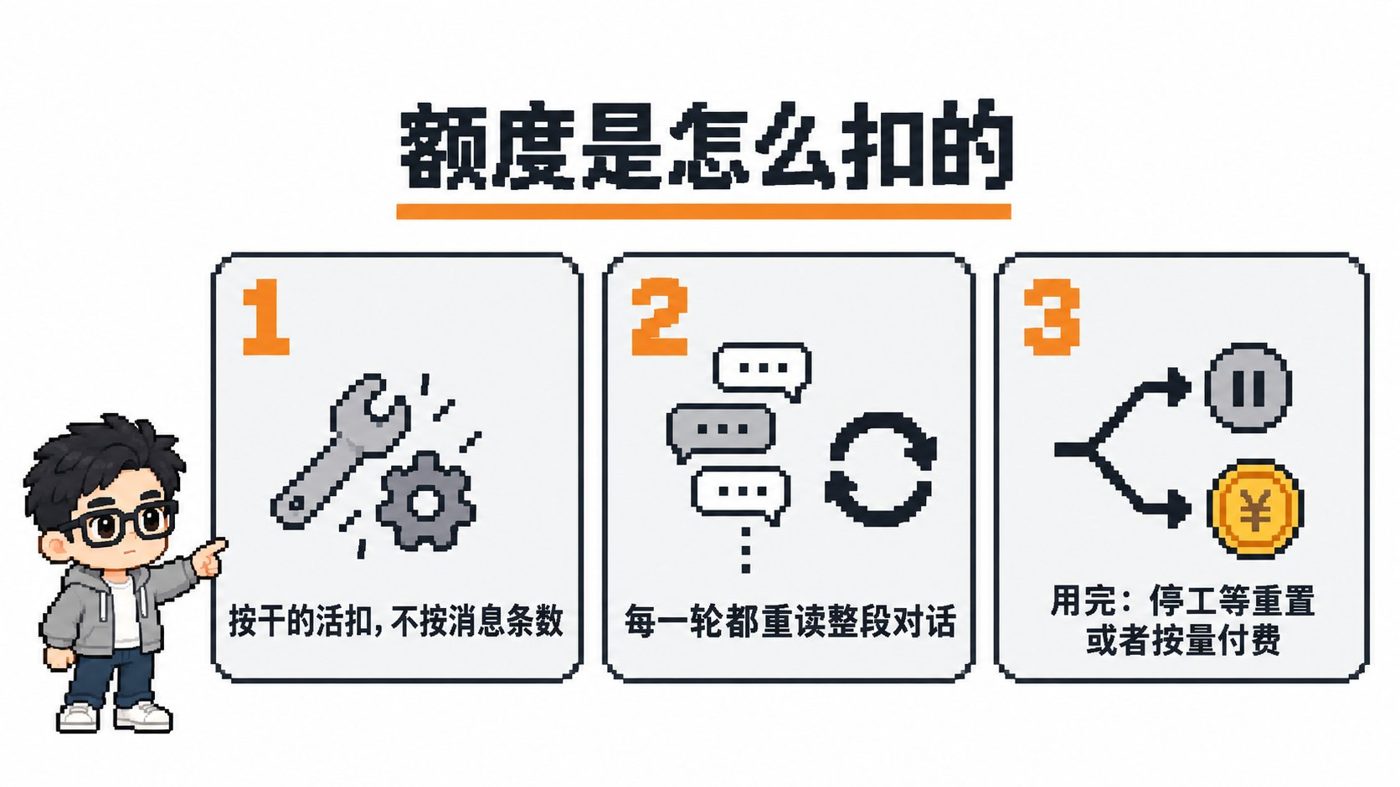
The Bot re-reads the full history with every conversation, draining the quota in two or three days. These 12 battle-tested rules can directly rein in consumption.
- Convert images, audio, and video to text summaries via the command line first; do not send multimodal files directly.
- Write lengthy materials and troubleshooting logs to files; return only brief conclusions and paths in the chat window.
- Proactively turn off pay-as-you-go or lower the spending limit on your account to prevent runaway bills.
- Cap error retries at 2 attempts; immediately abort and request human intervention upon consecutive failures to kill infinite loop idling.
Automated Ingestion and External Collaboration Networks
Automation Pipelines and Collaboration Configurations
Equipped with Webhooks, Grok Bot becomes a 24/7 automation node.
- Create a routine task on the Bot side, select "When a Webhook is triggered" as the trigger, and save to obtain the endpoint URL and Bearer token.
- Configure Apple Shortcuts on mobile with "Get Contents of URL" to send JSON text or links via POST.
- For WeChat without a share sheet, read from the clipboard; store large attachments or multiple images in temporary cloud storage to obtain public links, which the Bot downloads and extracts in the cloud.
- Feishu uses persistent connections, eliminating the need for public IPs and self-hosted servers, and uses doorbell triggers for targeted task dispatching.
Acceptance Criteria:
- Send and go on mobile without waiting.
- Bot asynchronously scrapes, extracts frames, transcribes, ingests into storage, and returns an ingestion receipt in the cloud.
- Only respond in group chats when explicitly @mentioned or @all.
Send this prompt to automatically generate the receiving endpoint:
帮我创建一个 Webhook 触发的例行任务。快捷指令会用 POST 请求发来一个 JSON,里面包含一个字段 info。info 可能是我输入的文字,也可能是一个文件下载链接,比如微信聊天记录压缩包、截图、录音。收到后:如果是链接就先下载文件再读取,压缩包先解压;然后整理出要点,收录进知识库,最后给我一份回执,写清楚收录了什么、存在哪里。Grok Bot Webhook + Shortcuts: Building an Automated Knowledge Ingestion Pipeline
Source: Grok Bot Webhook + Shortcuts: Building an Automated Knowledge Ingestion Pipeline
Author: 铁柱AGI @cgnot996
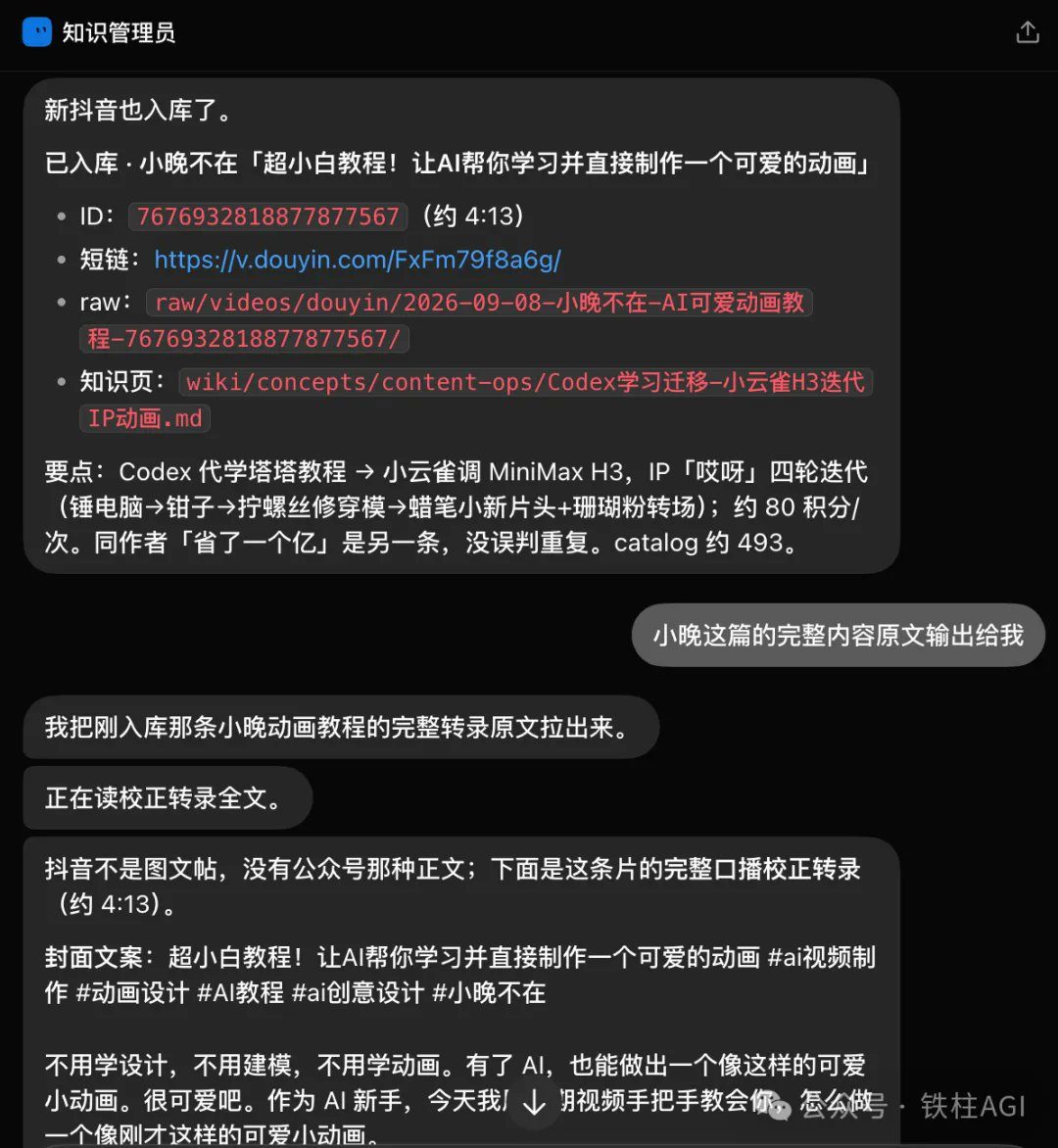
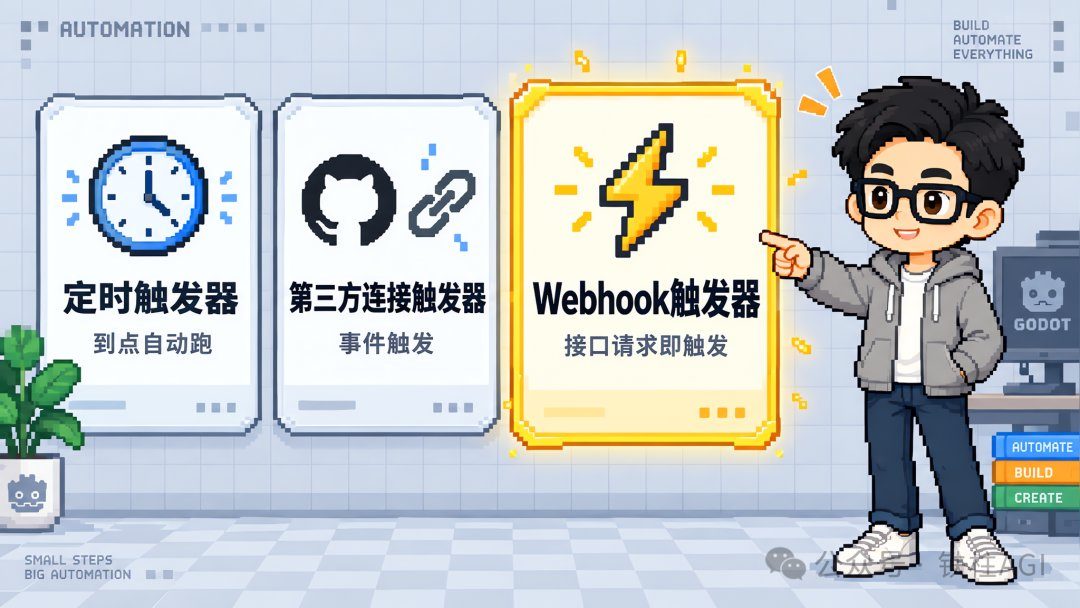
Ideal for Apple users archiving text, images, and videos on the go: send and go on mobile, with cloud handling transcription, frame extraction, and organization.
- Create a routine task in Grok Bot to get a dedicated Webhook URL and Bearer token.
- Create a POST request in mobile Shortcuts to package and send links or text.
- For apps like WeChat without a system share sheet, build a pop-up shortcut that reads the clipboard to trigger collection.
Connecting WeChat Chat History to Grok Bot: Advanced Shortcuts Edition
Source: Connecting WeChat Chat History to Grok Bot: Advanced Shortcuts Edition
Author: 铁柱AGI @cgnot996
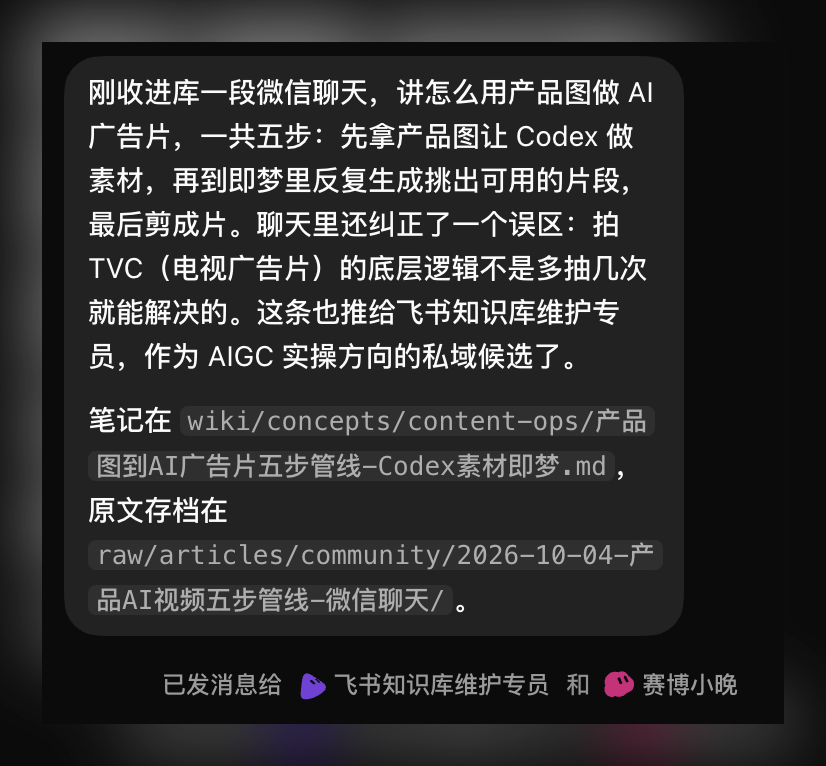
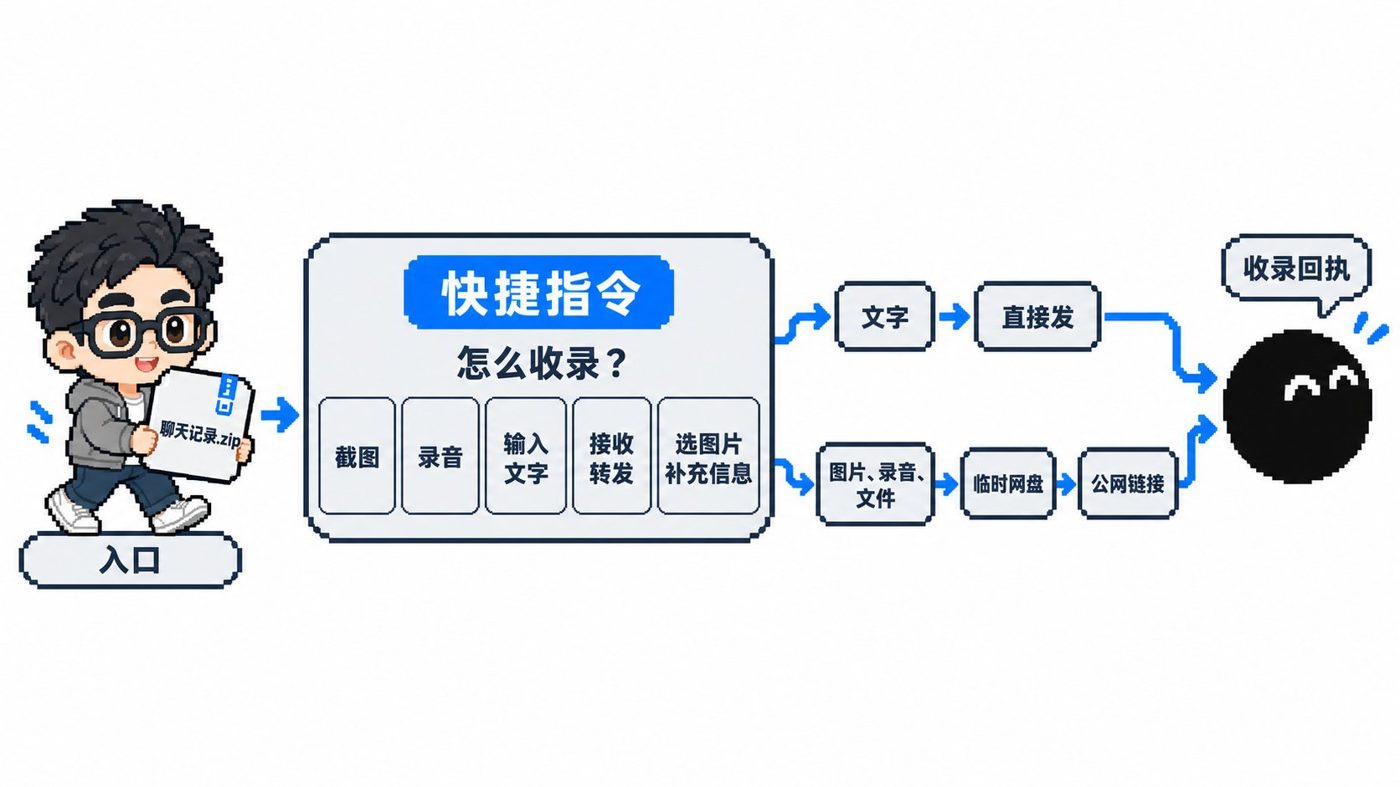
This solution utilizes a "Shortcuts + temporary cloud storage + Webhook" chain.
- WeChat combined and forwarded chat records generate a ZIP file, which Shortcuts automatically uploads to temporary public storage.
- The Webhook notifies the Bot to download and decompress it, extract key takeaways into the knowledge base, and return a structured receipt.
You must manually tap and load all images and files in WeChat before ingestion to prevent forwarding empty packages and losing data. The public stepping-stone storage also smooths out storage path differences between mobile and desktop.
Step-by-Step Tutorial on Connecting Grok Bot Team to Feishu (with Feishu Butler Template)
Source: Step-by-Step Tutorial on Connecting Grok Bot Team to Feishu (with Feishu Butler Template)
Author: 铁柱AGI @cgnot996
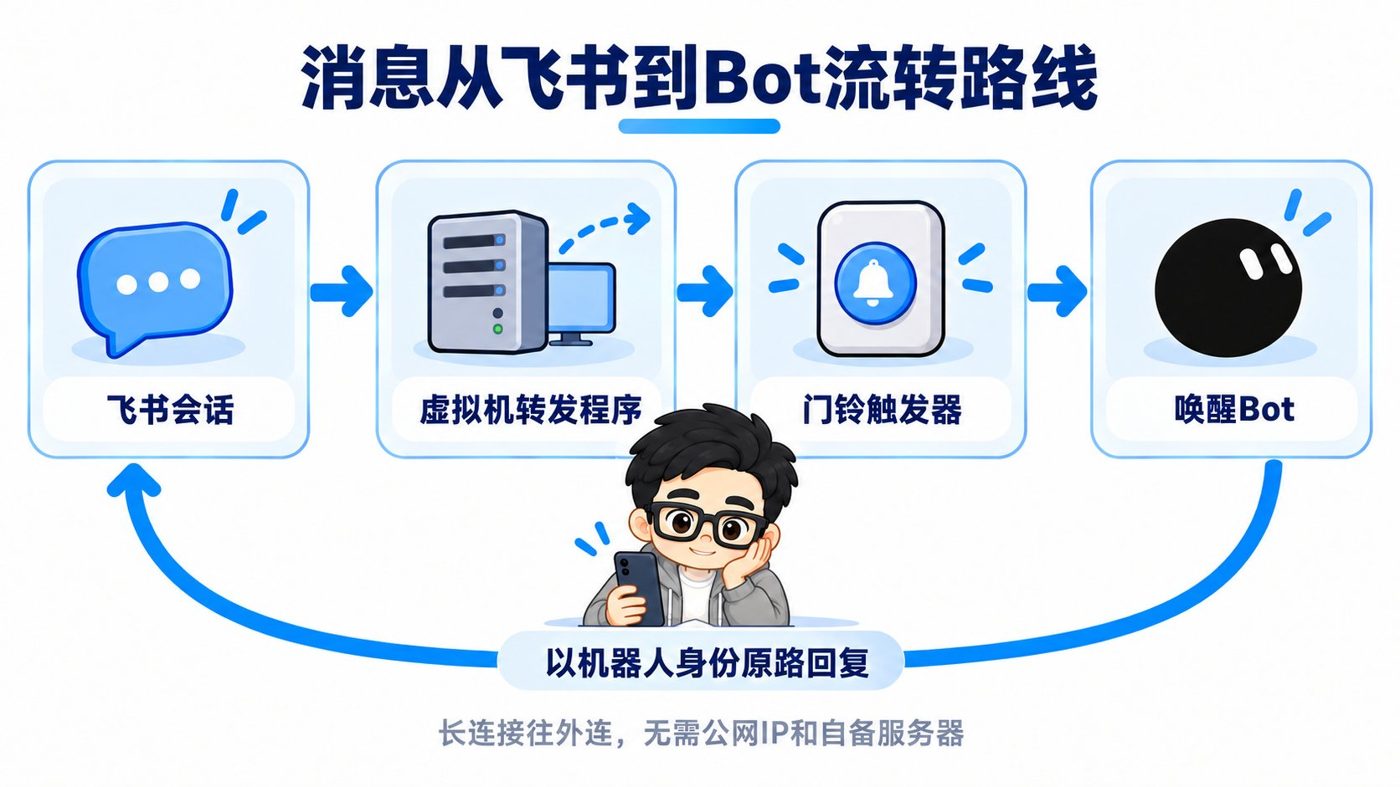
No public IP or dedicated server required: connect 3 Bots to Feishu using Feishu persistent connections and the official Python SDK via QR code scanning without complex backend configuration. Each Bot is assigned an independent doorbell trigger, with an application butler maintaining the registry.
- Strictly restrict forwarding to only when @mentioned directly or @all, preventing chit-chat in groups from causing idle model consumption.
- Push interactive cards directly at critical confirmation checkpoints; simply click buttons to approve, eliminating the hassle of switching back and forth between interfaces.
Virtual Machine Disaster Recovery and Memory Asset Backup
Disaster Recovery Mechanisms and Asset Classification
All Bots share the same Linux underlying host (Xeon 8 cores 8 threads, 16GB RAM, and 128GB disk, self-reported by the author, unverified). Sessions across different Bots are independent, but the underlying filesystem is shared, with no native official export.
| Scenario | Retained | Lost & Impact |
|---|---|---|
| System Update | Workspace directory and partial credentials | Wipes persistent processes, scheduled tasks, and global packages |
| Full Machine Reset | Nothing retained | System disk formatted; all non-persistent data lost |
Manual backups are unrealistic; rebuilding logic must be codified. After a disaster, run the master entry script in the new environment and restore operations through health checks.
| Asset | Path & Files | Recovery Strategy & Pitfalls |
|---|---|---|
| Memory Settings | Private Git: agent-spec.md, profile.md, MEMORY.md | Ingest into new Bot per checklist; restoration fidelity approx. 80% (author's self-statement, unverified) |
| Persistent Services | Private Git vm-services/: REGISTRY.md, registry.json, source code | Rely on idempotent reinstallation via restore-*.sh and pass health checks |
| Access Credentials | Local ~/.agents/secrets/: .env (chmod 600) | Strictly forbidden from Git or logs; manually filled in per registry after disaster |
Assign the following prompt to an independent operations Bot to maintain the service registry and recovery scripts:
你是「虚拟机服务管家」,负责维护这台机器部署的所有第三方服务。你维护一份登记总账(REGISTRY.md 与 registry.json)、每个服务的独立恢复脚本(restore/restore-<服务>.sh,必须幂等可重复运行)、总入口 restore/restore-all.sh,以及一份排除日志和密钥的自写源码备份 service-src/。总账记录服务 ID、用途、安装方式、启停命令、健康检查命令和密钥存放路径。仓库严禁存入明文密钥。收到恢复指令后,按依赖顺序跑脚本并逐项交出健康检查验收清单。Grok Bot Million-Scale Evacuation: A Complete Agent System Backup Solution
Source: Grok Bot Million-Scale Evacuation: A Complete Agent System Backup Solution
Author: 铁柱AGI @cgnot996

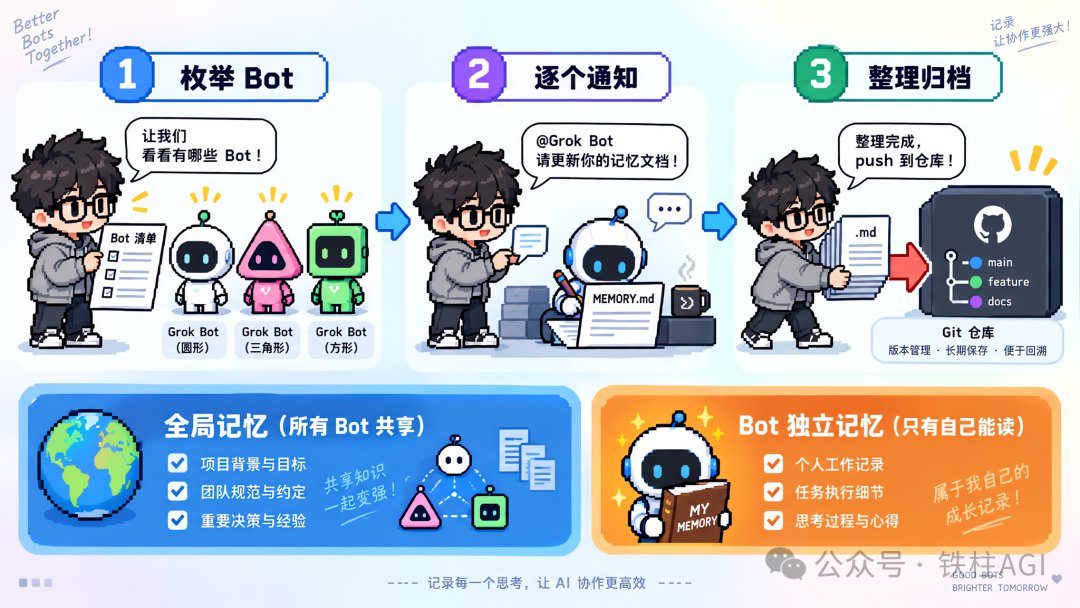
The official platform does not offer one-click memory export. This solution invokes the Bot to read context, writes persona, decisions, and task snapshots into Markdown, and pushes them hierarchically to private Git.
- Backups store plain text only; version evolution is left to Git.
- Repositories must be scanned for secrets; record only Token paths and never keep plaintext.
- Restoration fidelity for new account rebuilding is approx. 80%, and it can also be migrated directly into local systems.
All Tools Gone After Grok Bot VM Reset? Backup and Recovery Tutorial (with Prompts)
Source: All Tools Gone After Grok Bot VM Reset? Backup and Recovery Tutorial (with Prompts)
Author: 铁柱AGI @cgnot996
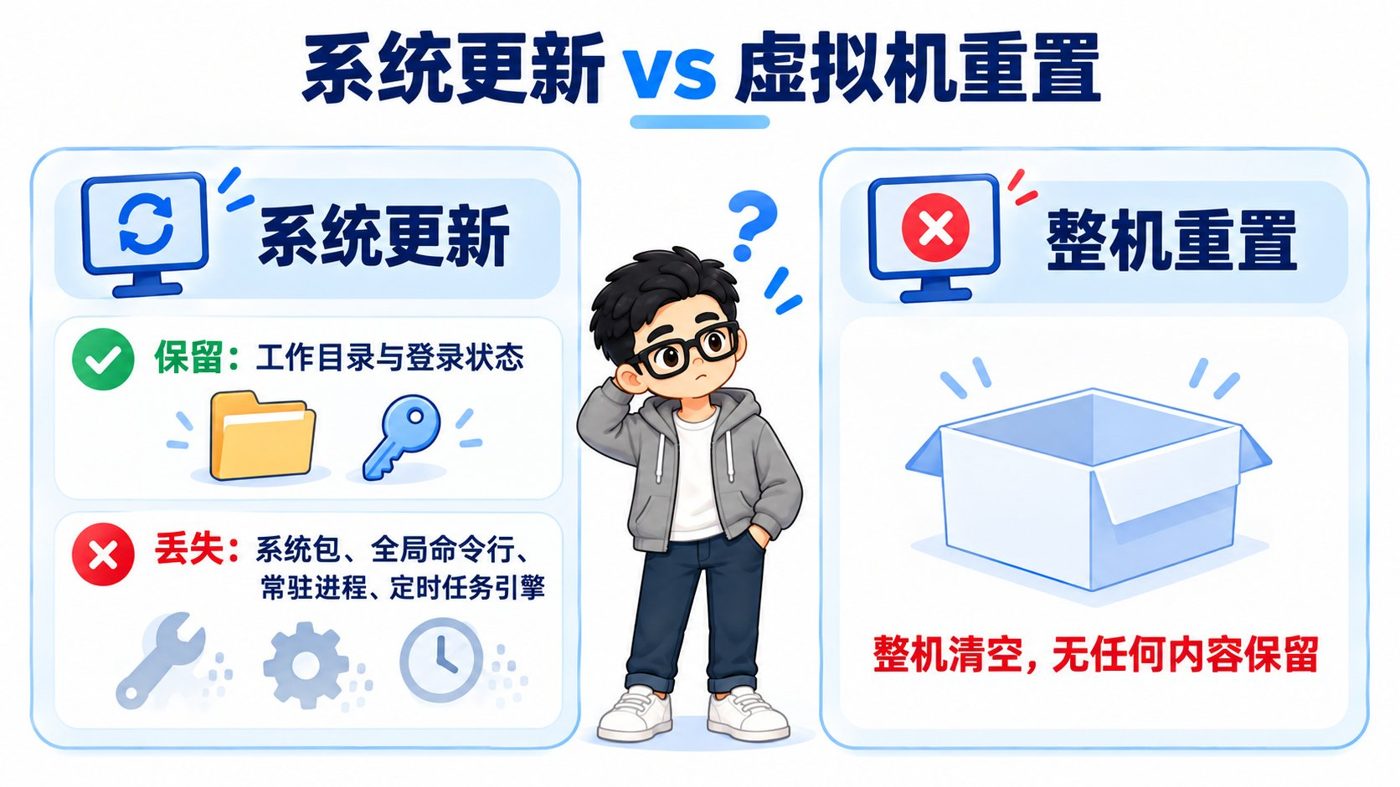
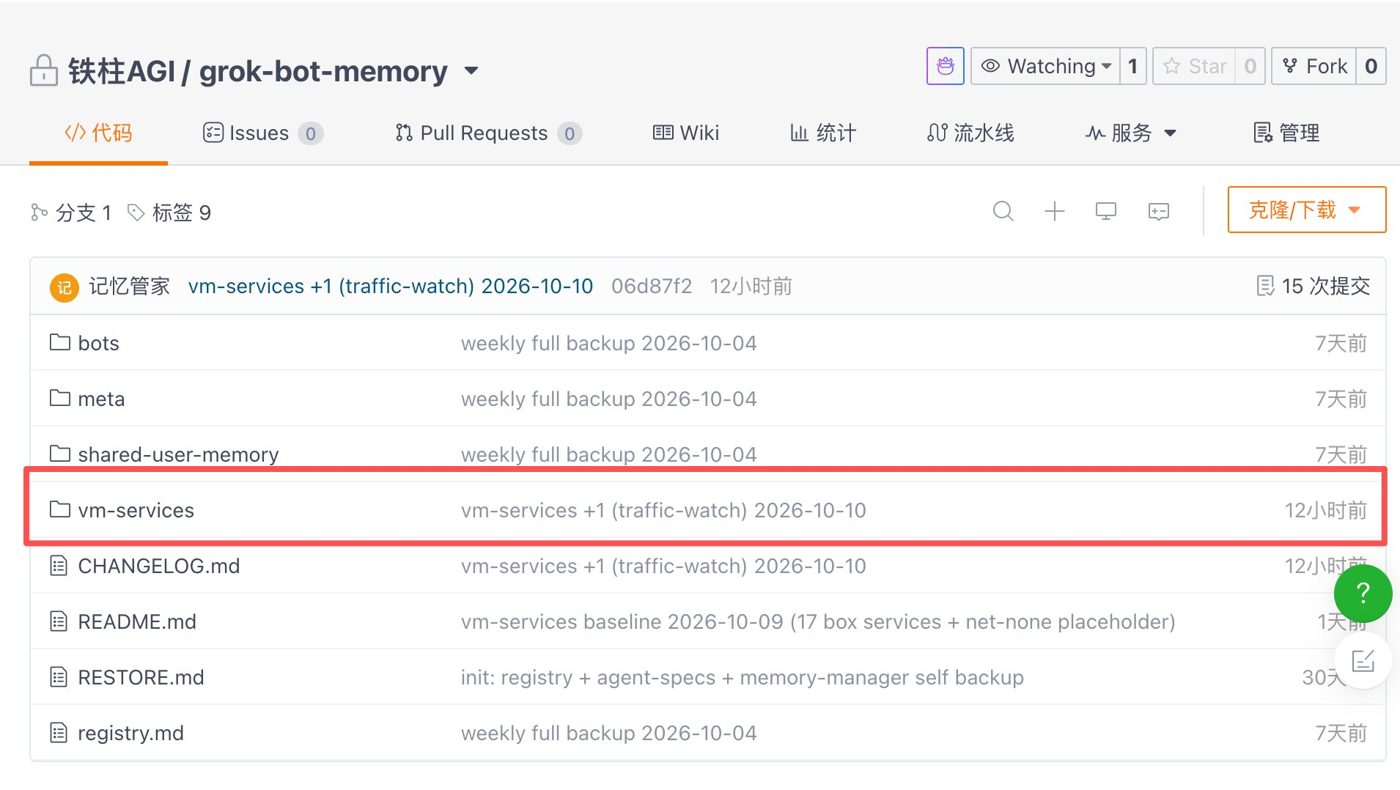
After a cloud computer reset, codifying the service reconstruction logic is the most hassle-free approach. In a private Git repository, create a REGISTRY.md service registry to record dependencies, start/stop commands, and secret-free source code for 20 projects, along with well-crafted idempotent recovery scripts.
- Clearly distinguish the loss boundaries between system updates and full machine resets.
- Run recovery scripts in order: underlying packages, CLI tools, and then persistent processes.
- Perform a health check immediately after completing each step; if an error occurs, skip it first and record it on the checklist to prevent blind resets.
Architectural Evolution, Business Practice, and Ecosystem Selection
Matrix Division of Labor and Selection Assessment
When using Agents on a daily basis, adhere to "one person, one post". Do not cram coding, data scraping, lifestyle archiving, and posting all into the same Bot; prompts can easily conflict, and overly long context will derail the model.
For platform selection, refer to Tiezhu's comparison between "Brand Pre-built PC" and "DIY Custom Rig":
| Approach | Representative Products | Advantages | Applicable Scenarios & Limitations |
|---|---|---|---|
| Brand Pre-built PC | Grok Bot, Muse | Cloud computer ready out-of-the-box; zero-maintenance remote sessions and app integration | Constrained by official weekly quotas and rules; suitable for heavy reliance on social distribution and cloud hosting |
| DIY Custom Rig | Local open-source Hermes, DS Bot | Freedom to mount open-source models, no quota limits, highly private data | Requires building systems and tuning scripts yourself; suitable for pure code development and custom model fine-tuning |
Business implementation must adhere to security and automation baselines:
- Fully automate mechanical data scraping and spreadsheet data entry.
- When public social media operations or financial transactions are involved, a manual confirmation gate must be retained.
- Posting must go through official APIs; using headless browsers to simulate login inside the cloud computer is strictly prohibited to prevent account bans.
Role division and pitfall avoidance reference:
| Business Role | Resident Bot | Responsibilities | Security Boundary & Configuration Tips |
|---|---|---|---|
| Code & Ops | Repository Manager, SEO Monitor | Daily project monitoring, auto-merging PRs, completing guides | Check scheduled task calendars to avoid mistakenly setting tasks to run only on weekdays, causing weekend stalls |
| Life & Archiving | Bookkeeping Butler, Knowledge Base Ingestor | Receive text and images pushed from Shortcuts, enter them into multi-dimensional tables | Set high-entropy random IDs for temporary image hosts; keep sensitive private data off public stepping-stone hosts |
| Collaboration & Scheduling | Editor-in-Chief, VM Butler | Break down topics, coordinate Bots, manage backend registry | Use Device Code authorization for external tools to prevent two machines from knocking each other out of login state |
Tiezhu's Tweet Collection ②: Product Features and Version Observations
Author: 铁柱AGI (Tweet Collection) | Target Audience: Technical explorers interested in underlying environment mechanisms who want to master multi-terminal orchestration and network troubleshooting
This collection documents the underlying evolution of Grok Bot. All Bots under the same account share the same Linux cloud computer, configured with 8 cores, 16GB RAM, and 128GB disk, while individual desktop sessions remain independent. The article also records methods for claiming a dedicated email address, invoking native X search, and troubleshooting outbound network issues.
Key takeaways for environment troubleshooting:
- When clicking the Webhook panel gives no response, send a prompt directly asking the Bot to reply with the direct link.
- Core environment configurations and custom scripts must converge into persistent paths to prevent loss caused by underlying system refreshes.
Tiezhu's Tweet Collection ③: Practical Workflows and Case Studies
Author: 铁柱AGI (Tweet Collection) | Target Audience: Practitioners looking for real-world implementation inspiration who want to avoid automated account bans and infinite loops
Tiezhu documents over a dozen real-world running Bot roles, including repository inspection and SEO daily reports, as well as WeChat scraping, multi-dimensional table bookkeeping, and collage API invocation, while providing a four-step implementation rule from single-role configuration to persistent disaster recovery.
Smooth operation requires adhering to two operational specifications:
- Publishing content must go through official APIs; using headless browsers inside the VM to simulate posting is strictly prohibited to prevent account restrictions.
- Standardize external command-line tools on Device Code authorization to prevent two machines from competing for credentials and causing session disconnects.
Tiezhu's Tweet Collection ④: Community, Ecosystem, and Competitor Comparison
Author: 铁柱AGI (Tweet Collection) | Target Audience: Architects weighing multiple Agent frameworks, evaluating options, and looking for open-source resources
Tiezhu provides a side-by-side comparison between mainstream Agent frameworks and Grok Bot. Grok Bot follows the pre-built PC route, offering an out-of-the-box cloud computer but subject to quota limits; custom rigs like Hermes offer high controllability but require self-maintenance.
The article also summarizes the experience of the awesome-grok-bot repository relying on autonomous Bot inspections to collect events and documentation.
Here is a practical tip for teams expanding their knowledge base: send high-quality open-source frameworks and external tutorials directly to the Bot as context for learning, keeping the Agent closely aligned with your own workflows.